

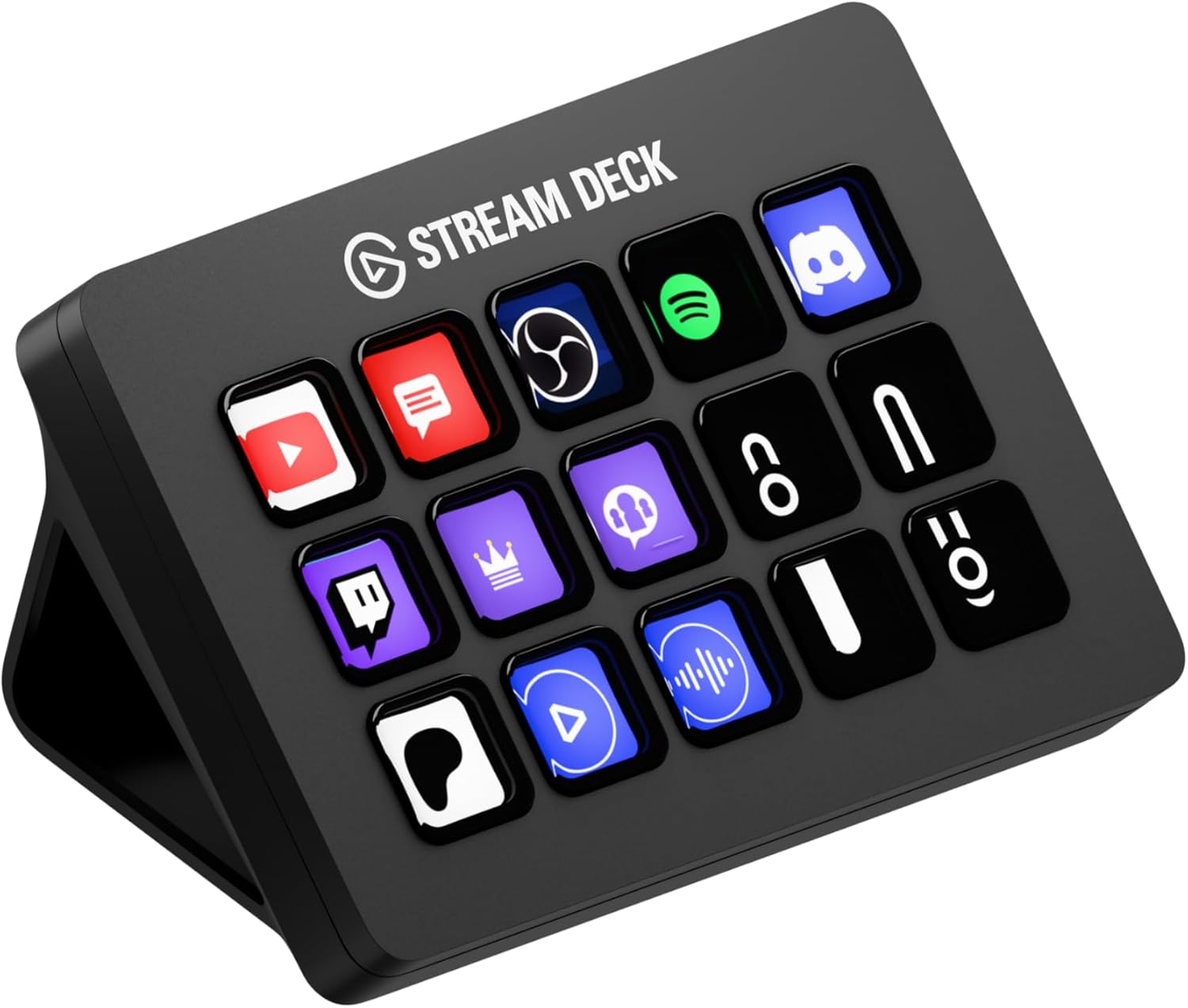
Elgato Stream Deck MK.2 – Studio Controller, 15 macro keys, trigger actions in apps and software like OBS, Twitch, YouTube and more, works with Mac and PC
Original price was: $149.99.$119.99Current price is: $119.99.
Related Products





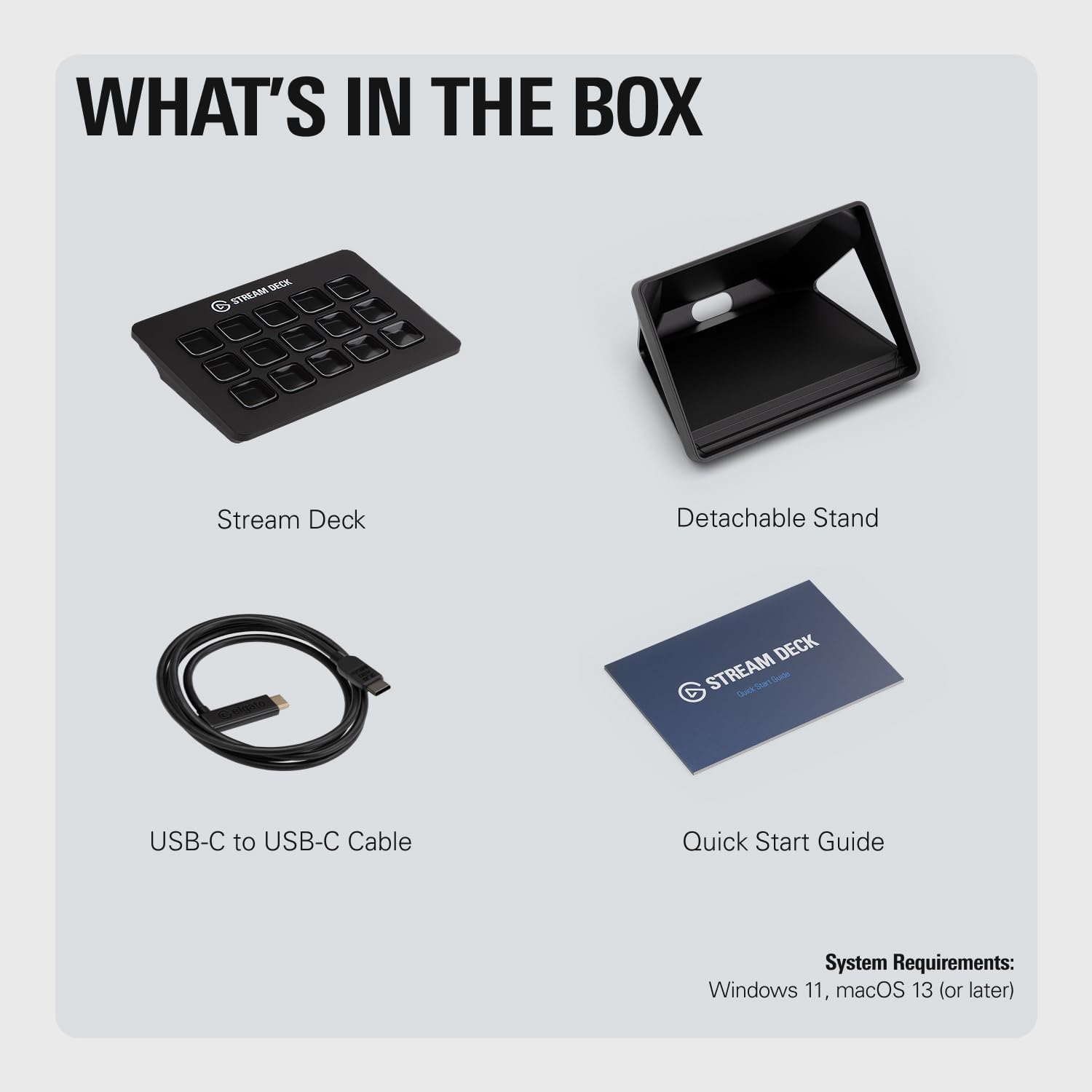

Stream Deck gives you 15 fully customizable LCD keys to control your apps and tools. Trigger actions, launch social posts, adjust audio, play sound effects, activate lights, and more. Download plugins, icon packs, thousands of royalty-free tracks plus effects, and switch out faceplates to make Stream Deck yours. Technical Specifications: Dimensions: 118 x 84 x 25 mm / 4.6 x 3.3 x 1.0 in. (without stand) Weight: 145 g without stand / 270 g with stand Keys: 15 customizable LCD keys Interface: USB 2.0 System Requirements: macOS 10.15 or newer / Windows 10 (64-bit)
15 Customizable LCD Keys: instantly control your apps, tools and platforms.
One-Touch Operation: trigger single or multiple actions, launch social posts, adjust audio, mute mic, turn on lights, and much more.
Visual Feedback: know that your command has been executed.
Powerful Plugins: Elgato 4KCU, OBS, Twitch, YouTube, Twitter, Discord, Spotify, Philips Hue, and many more.
Hotkey Actions: streamline your film editing, music production, photography workflow, etc.
10 reviews for Elgato Stream Deck MK.2 – Studio Controller, 15 macro keys, trigger actions in apps and software like OBS, Twitch, YouTube and more, works with Mac and PC
Add a review

Original price was: $149.99.$119.99Current price is: $119.99.
R. Gonzalez –
The BEST of the BEST!
First, this is my third one that I bought… So that’s means that this product is top quality. You can do anything with this… Just watch videos in YouTube to have some ideas.I’m using it as a video editing, TV Playlist for my TV network… You can create profiles, for example: When I open DaVinci Resolve, all the buttons change with the shortcut that I use, same thing on Premiere and so on.I thing that 15 buttons are enough, because you can create profiles, folder, pages, multi-action buttons, etc… So you have infinite buttons… You just have to be creative to organize it…As you can see in the video, I create 5 profiles on the top buttons, and all 5 profile have the same on the top, so I create like a static menu.Remember, this not only for streamers… This will work for everything! For office, graphics designer, video editing, gaming… Yes, you can customize the button with a shortcut or keyboard keys.You can use it to control the volume, smart lights, also you can use IFTTT.Very easy to use, they have a Store where you can downloads profiles, static and animated icons and plug-ins… Most of them are free!Works with PC & Mac, also they have a Stream Deck App for iPhone and Android, but you have to paid monthly to used it.This change and improve my productivity 100%!I also create a profiles with funny sfx to make my co-workers laugh! 😅
Jesse Perez –
A must-have for anyone in need of a cuztomizable macropad!
I wrote a whole thing about how great it was and lost it when the page changed by accident. Let me make this short and sweet:It’s amazing, works on Linux and not just Windows, easy to use and the screen buttons are nice and bright. If you need it for either your system tasks, gaming or for streaming, grab this or the XL. I will upgrade to the XL in the very near future, for sure.
Miguel Eduardo Vilar –
Very useful even if you are not an streamer
It is a versatile and powerful tool that goes beyond streaming. It’s an excellent choice for non-streamers looking to enhance their productivity and creative workflows.1- I used to keep an eye on my CPU and GPU Temperature, GPU/CPU Load, and CPU Usage, so if my PC is getting pretty hot, I could turn on the AC and bring down the temperature.2- I can use the discord setting to Mute my mic or Deaf myself as well as to share my screen and join different channels with just one touch, also a plus with the soundboard you can have your favorite ones without the need to look for them inside the discord app.3- For Zoom meetings, Webex meetings, etc… I have all the buttons set up so I can easily share my screen, mute my mic, view the members inside the meeting, the chat, all in a couple of touch.4- I can access my games directly with just one touch like my Steam games, GamePass, Battlenet, Epic, and GOG.5- I can make a profile when I’m developing a program to take actions that will take me many steps to reach with one click.Conclusion: The Elgato Stream Deck MK.2 is a fantastic tool for non-streamers who want to streamline their workflows and boost productivity. Its customizable keys and seamless software integration make it valuable to any creative professional’s toolkit.
SAMUEl CLEAVER –
Necessity for Streamers and Creators
The Elgato Stream Deck MK.2 has boosted my streaming and content creation workflow. I purchased this in the middle of July and have had almost a couple of months to use and explore it. Out of the box, the LCD keys made it easy to control my streams on OBS Studio and switch scenes seamlessly. The setup was incredibly quick, and I appreciated how intuitive the software was—it took just minutes to map out the actions I needed most and the online instructions helped too.For me what stands out is the versatility. I use it for streaming and also for video editing, where I’ve assigned keys to speed up common actions like cuts and renders. The Elgato Marketplace adds even more value with plugins that make it adaptable for other apps like Photoshop or Discord.Pros:• Easy setup and use with popular platforms like OBS and Twitch.• Interchangeable faceplates are a fun customization option.• The tactile feedback from buttons enhances user experience.Cons:• At $129.99, it’s an investment, but one that will pay off for any creator.Overall, I highly recommend the Stream Deck MK.2 for anyone looking to enhance their content creation or streaming workflow. So far, it’s become an essential part of my setup, and I wouldn’t want to go back to streaming without it!
Nick –
Great find!
I ordered this to setup a number of shortcuts for my streaming channel, an RPG bot, and for my PC. It’s been simple, intuitive, and a lot of fun to use! The software was a quick download, shipping was fast, and I got it on a good sale.Buttons are nice and responsive, and there are a ton of options for commands. Works great on my streaming channel, connected easily to my PC, and the size is perfect for my desk.
Yahya gülmez –
Kalite (turkmanttv insta)
M. D. –
Ich habe mir das Elgato Stream Deck MK.2 in Weiß geholt und bin restlos begeistert – dieses Gerät ist jeden Cent wert. Es ist nicht nur ein Gadget für Streamer, sondern ein echter Game Changer für die allgemeine Produktivität.🚀 Performance und UsabilityDie 15 LCD-Tasten reagieren sofort und die Software ist kinderleicht zu bedienen. Die Einrichtung von komplexen Multi-Aktionen, die mit einem einzigen Tastendruck mehrere Befehle auslösen, war überraschend intuitiv. Ich nutze es, um Szenen in OBS zu wechseln, Soundeffekte abzuspielen und sogar Programme zu starten oder meine Beleuchtung zu steuern.🖥️ DesignDie weiße Version sieht auf meinem Schreibtisch unglaublich schick aus. Das Design ist sauber und hochwertig. Dank des verstellbaren Standfußes findet man schnell den perfekten Winkel.FazitDas Stream Deck MK.2 hat meinen Workflow massiv vereinfacht und beschleunigt. Ob beim Live-Streaming oder einfach nur, um komplexe Tastenkombinationen im Alltag zu automatisieren: Es ist ein super Teil! Wer seine digitale Arbeit auf das nächste Level heben will, braucht dieses Gerät. Klare 5 Sterne!
Fábio Portugal –
Recebi dentro do prazo e ainda preciso aprender como utilizar
Ali –
ممتاز ومفيد جدا للستريمر
Amazon Customer –
In description it’s MK.2 version. But I got first version. Not big deal for me – it’s still usable. But it’s wrong in description. Be carefully if you need exactly MK.2 version. Otherwise – no problem at all. Device works perfectly.